Tested on a Claude Pro account on 7 October 2026. Plan details checked against Claude’s pricing page and Anthropic’s model announcements the same day.
The short answer
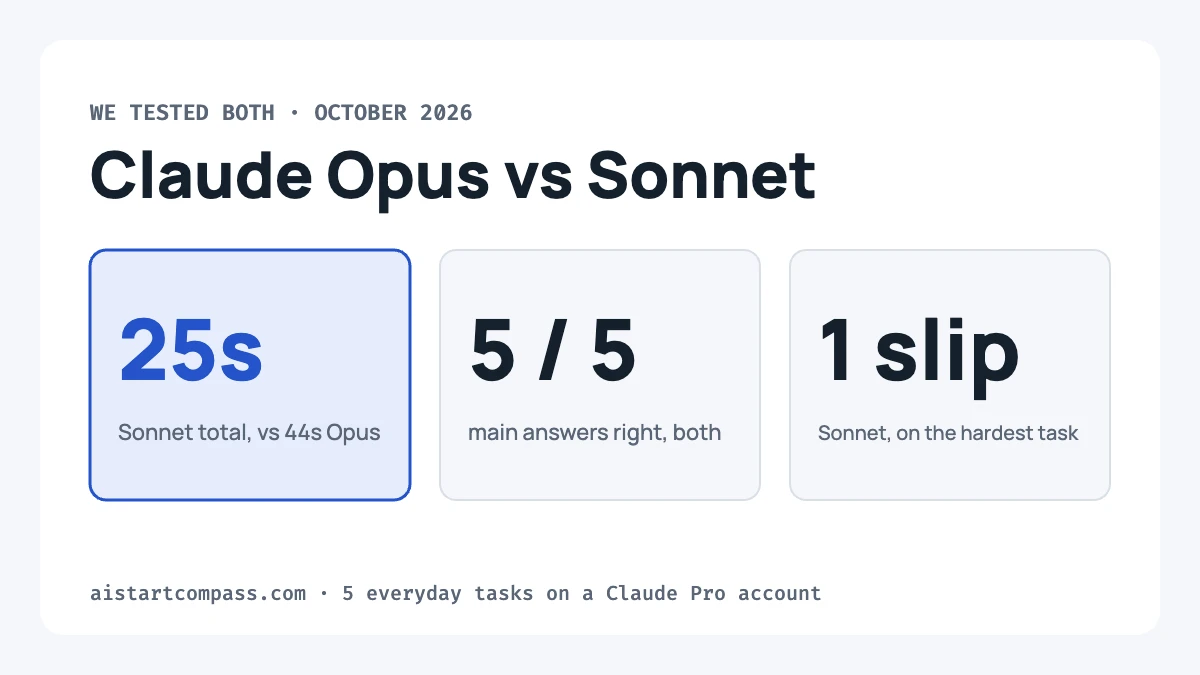
Use Sonnet 5.5 for everyday jobs, and switch to Opus 5.5 for complicated, multi-step work. We gave both models the same five everyday tasks. Both got every main answer right, but Sonnet finished all five in 25 seconds against 44 seconds for Opus.
Opus was the more careful of the two on the hardest task, a phone contract comparison. On the Free plan you only get Sonnet (and Haiku); Opus needs Pro or Max.
Opus vs Sonnet at a glance
| Sonnet 5.5 | Opus 5.5 | |
|---|---|---|
| Best for | Everyday tasks: emails, summaries, simple maths | Complex, multi-step work |
| Speed in our test | 25 seconds for all 5 tasks | 44 seconds for all 5 tasks |
| Accuracy in our test | 5 of 5 main answers right; one wrong side note in one run | 5 of 5 main answers right; no errors |
| Default effort in the app | Medium | High |
| How the app describes it | “Most efficient for simpler tasks” | “For complex work and everyday tasks” |
| Which plans | Free, Pro, Max | Pro, Max |
How we tested
- We used a Claude Pro account in Chrome on 7 October 2026.
- Every task ran in a fresh incognito chat, so no chat history or saved memory could affect the answers.
- Both models got exactly the same prompt, word for word, on the app’s default effort settings (High for Opus, Medium for Sonnet).
- We timed each answer from pressing send to the moment it finished, and checked every number by hand.
- Each model ran each task once for timing. We then re-ran every task to take the screenshots below, so their times differ slightly from the chart.
Speed depends on how busy Anthropic’s servers are, so treat our times as a guide, not a lab result.
The results
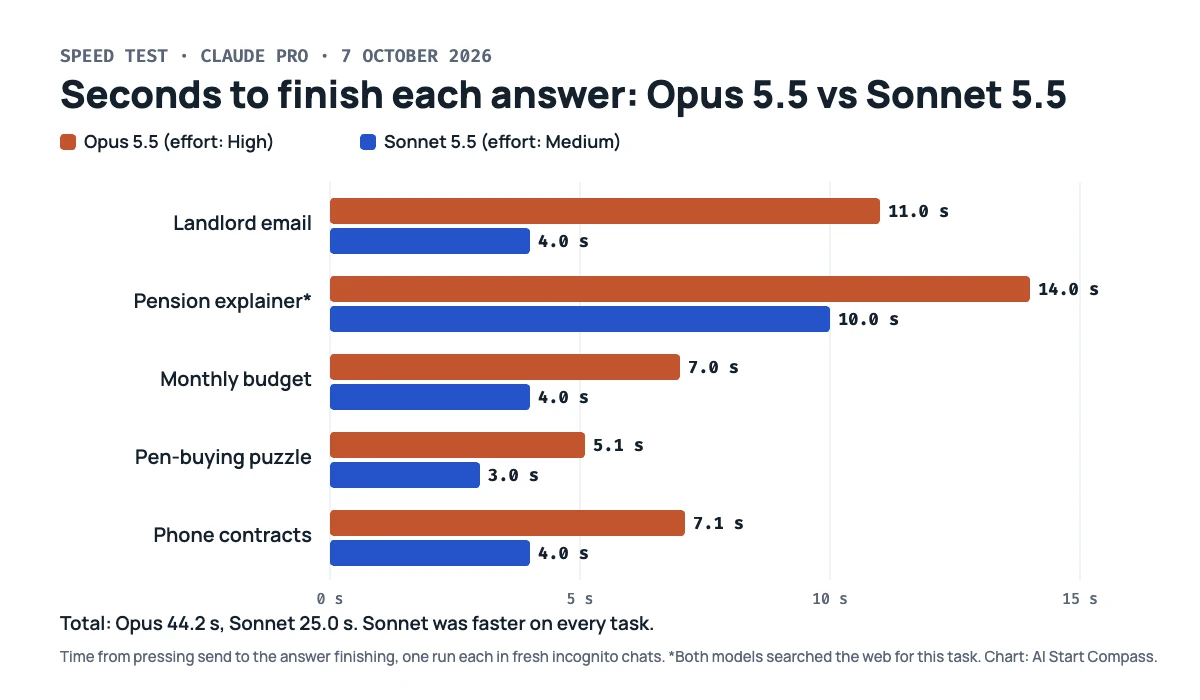
| Task | Opus 5.5 | Sonnet 5.5 | Better pick |
|---|---|---|---|
| Landlord email | Good, as a ready-to-send draft (11 s) | Good, as plain text (4 s) | Sonnet: same quality, faster |
| UK pension explainer | Accurate and most complete (14 s) | Accurate, with a worked example (10 s) | Tie |
| Monthly budget | Correct: £550 to save (7 s) | Correct: £550 to save (4 s) | Sonnet: faster |
| Pen-buying puzzle | Correct: £6.80 (5.1 s) | Correct: £6.80 (3.0 s) | Sonnet: faster |
| Phone contracts | Correct, rounding right every time (7.1 s) | Correct total, but one wrong side note (4.0 s) | Opus: more careful |
1. Writing a polite email
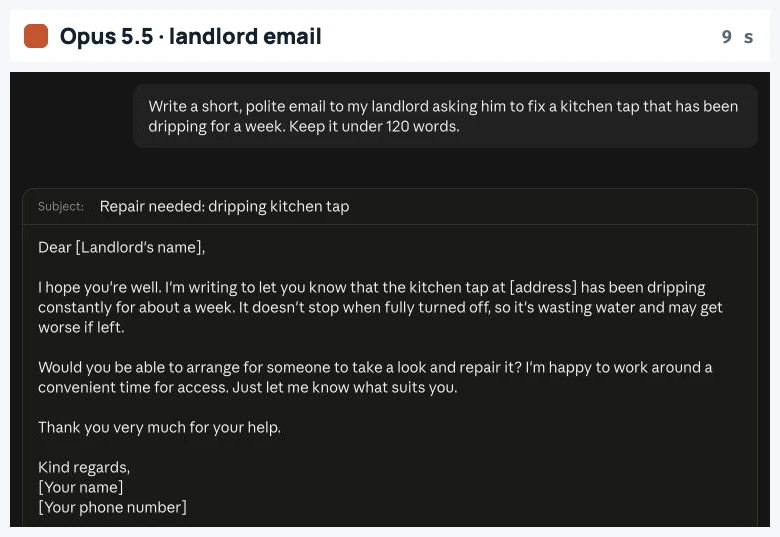
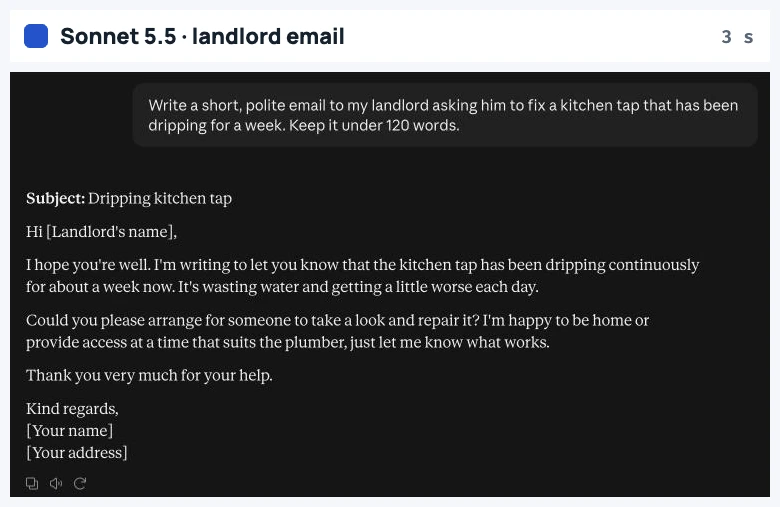
Prompt: “Write a short, polite email to my landlord asking him to fix a kitchen tap that has been dripping for a week. Keep it under 120 words.”
Both emails were polite, clear and well under 120 words, with placeholders for names. Opus put its email in a draft box with Copy and “Send via Gmail” buttons; Sonnet wrote it as plain text. For a job like this, there is no reason to wait for Opus.
2. Explaining UK pension auto-enrolment
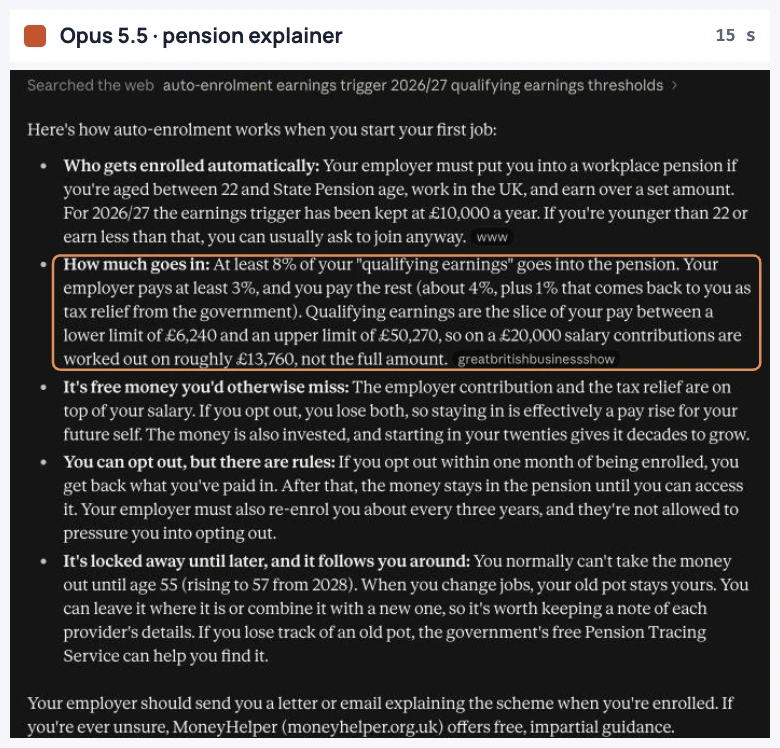
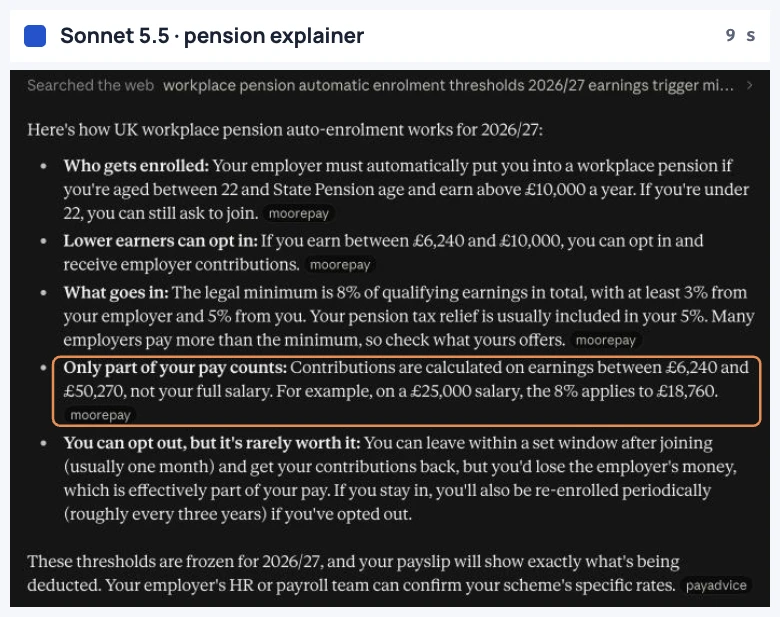
Prompt: “Explain UK workplace pension auto-enrolment in 5 bullet points for someone starting their first job.”
Both models searched the web on their own and quoted the right 2026/27 figures: automatic enrolment from age 22 if you earn over £10,000, a minimum of 8% in total with at least 3% from your employer, and contributions based on earnings between £6,240 and £50,270. We checked these against GOV.UK.
Opus also covered being re-enrolled every three years and when you can take the money out. Sonnet worked through an example instead: on a £25,000 salary, the 8% is worked out on £18,760 of your pay (about £1,500 a year in total). Both answers were good.
3. Making a monthly budget
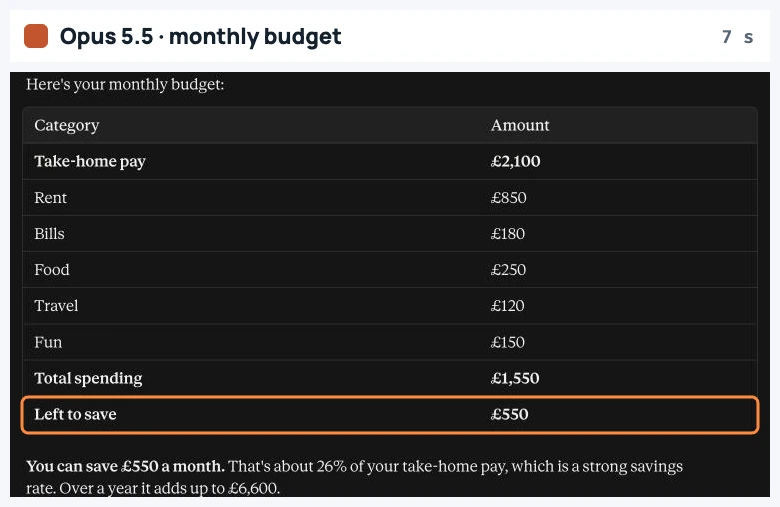
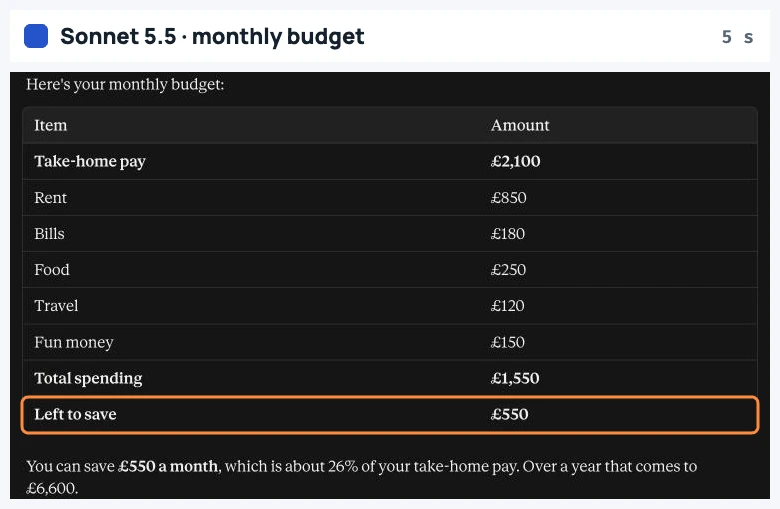
Prompt: “I take home £2,100 a month. Rent is £850, bills £180, food £250 and travel £120. I want to keep £150 a month for fun. Make a simple budget table and tell me how much I can save each month.”
The right answer is £550 a month (£6,600 a year), and both models got it, laid out in a clear table. Both also suggested keeping a small buffer for one-off costs.
4. A simple money puzzle
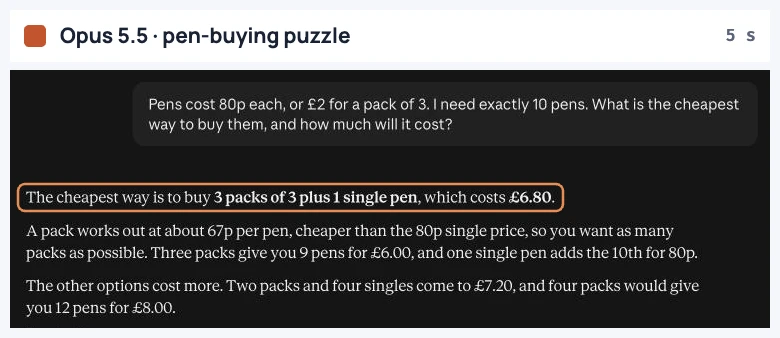
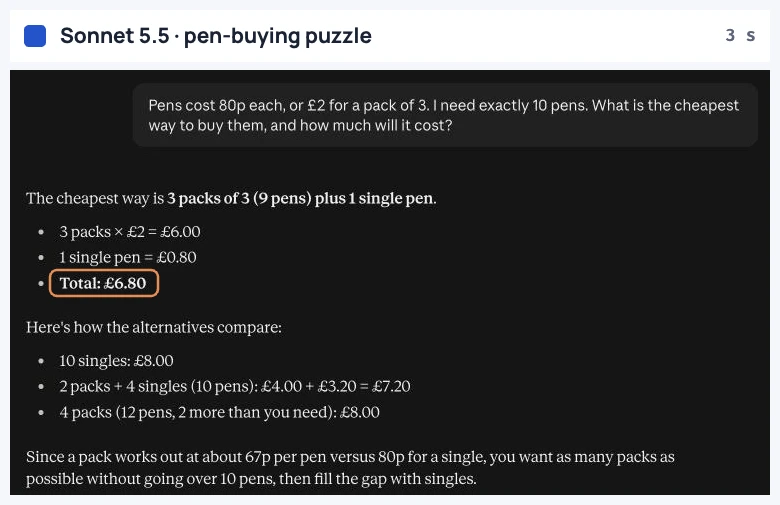
Prompt: “Pens cost 80p each, or £2 for a pack of 3. I need exactly 10 pens. What is the cheapest way to buy them, and how much will it cost?”
Both answered correctly: three packs plus one single pen, for £6.80. Both also showed why the other options cost more (£7.20 for two packs and four singles, £8 for four packs).
5. Comparing two phone contracts (the hard one)
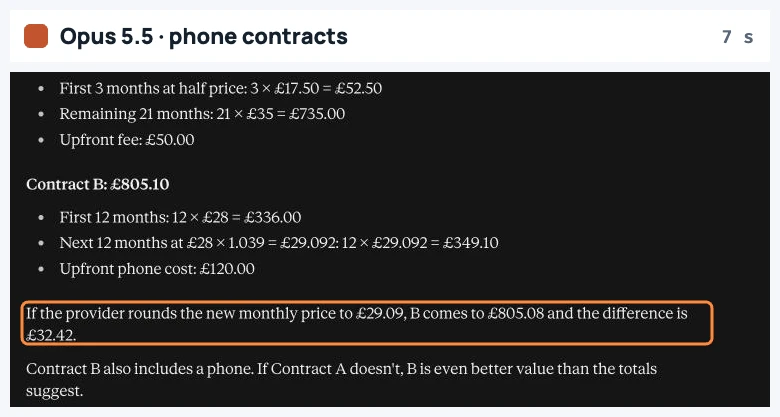
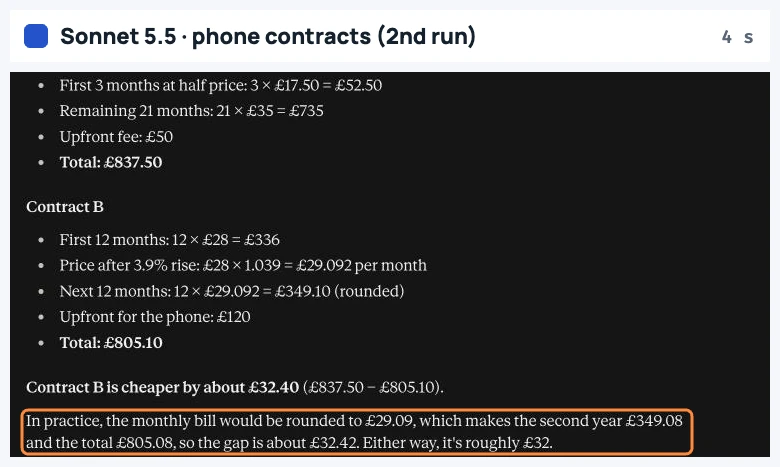
Prompt: “Contract A: £35 a month for 24 months, but the first 3 months are half price, plus a £50 upfront fee. Contract B: £28 a month for 24 months, but the monthly price goes up by 3.9% after 12 months, plus £120 upfront for the phone. Which is cheaper over 24 months, and by how much?”
Both found the right answer: Contract B is about £32.40 cheaper (£805.10 against £837.50). The difference was in the detail. In our first run, Sonnet added: “your bill would round to the nearest penny each month (£29.09), which would make Contract B about £0.10 cheaper still.” That is wrong. Rounding saves 0.2p a month, so about 2p over the year, not 10p.
Opus got the rounding right both times we asked (£805.08, a £32.42 gap). In the first run it also warned that some UK contracts raise prices each April, and some state the rise in pounds and pence. When we re-ran the task, Sonnet got the rounding right too. That shows the real difference: Sonnet is usually right, while Opus was more consistently careful.
So which should you use?
- On the Free plan: there is nothing to choose. You get Sonnet 5.5, and our tests show it handles everyday jobs very well.
- On Pro or Max, start with Sonnet for emails, summaries, explanations and simple sums. It was faster every time, and the app calls it the most efficient model.
- Switch to Opus when the task has several steps, involves money you care about, or would be costly to get wrong. Anthropic says Opus is clearly stronger at complex, open-ended work, and that matched what we saw.
- Check the important numbers either way. Even Sonnet’s wrong note sounded confident.
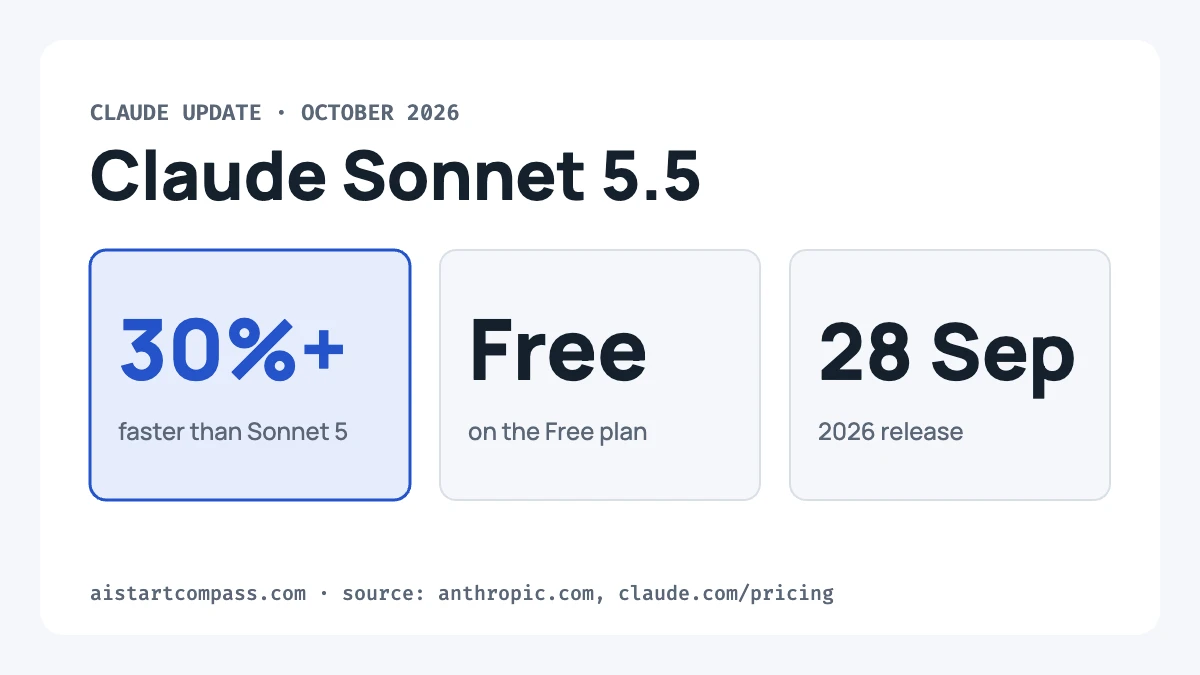
Anthropic says the model you pick affects how fast you use your plan’s limit. Our Claude Pro vs Max guide explains how those limits work, and our Sonnet 5.5 update covers what changed in the new model.
What each plan includes
| Plan | Sonnet | Opus | UK price |
|---|---|---|---|
| Free | Yes | No | £0 |
| Pro | Yes | Yes | £18 a month (£15 paid yearly) |
| Max | Yes | Yes | From £90 a month |
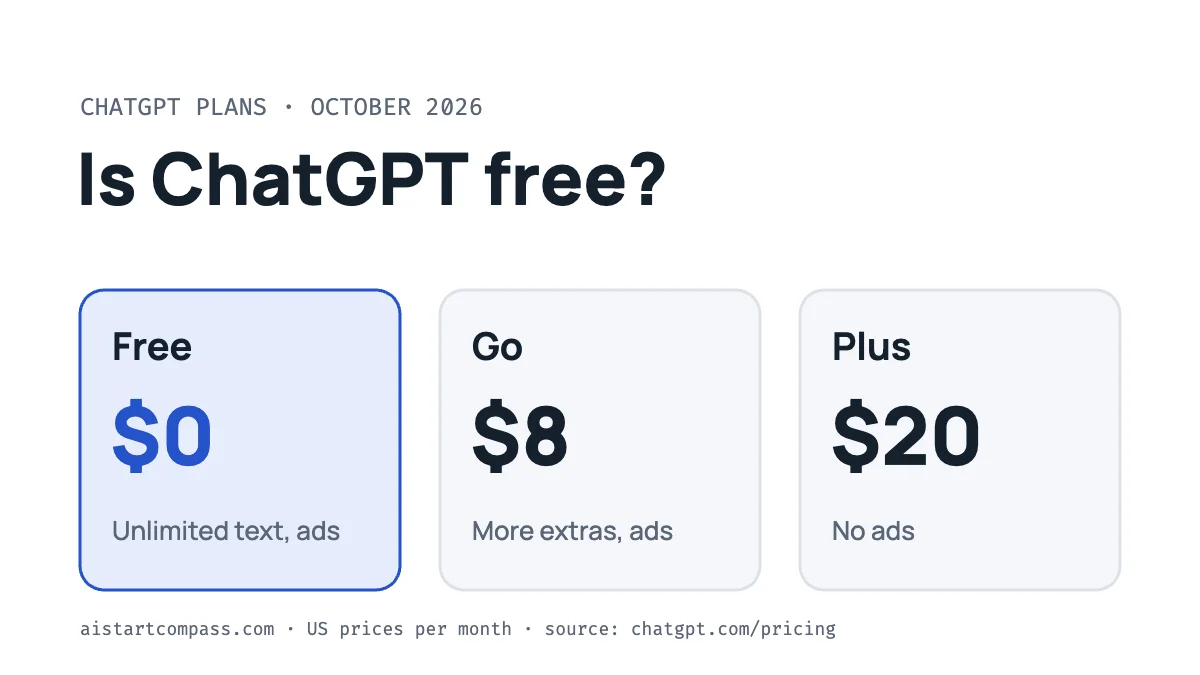
Want to know if the cheaper Haiku model is good enough? See our Claude Haiku vs Sonnet test. Not sure you need to pay? See Is Claude free?, or how Claude compares with ChatGPT in Claude vs ChatGPT.
FAQ
Is Claude Opus better than Sonnet?
For complex, multi-step work, yes. For everyday tasks, our test found no difference in the main answers, and Sonnet was nearly twice as fast.
Can I use Opus on the free plan?
No. Claude’s pricing page lists Opus on Pro and Max only. Free users get Sonnet and Haiku.
Which is faster, Opus or Sonnet?
Sonnet. It finished our five tasks in 25 seconds in total, against 44 seconds for Opus.
Does Opus use more of my limit?
Anthropic says the model you choose affects how quickly you use your allowance, and the Claude app describes Sonnet 5.5 as its most efficient model.
Is there a Claude Haiku 5.5?
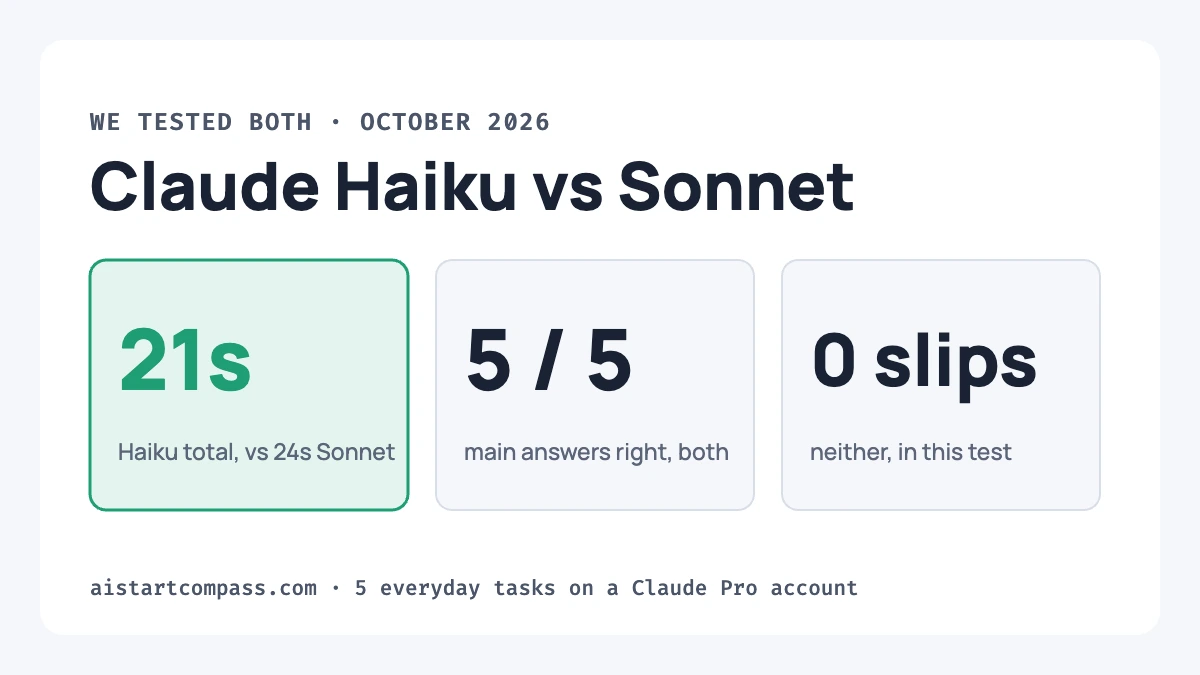
Yes. Anthropic released Claude Haiku 5.5 on 7 October 2026, and it appeared in the model menu on our Pro account that evening, described as “Fastest for quick answers”. We tested it against Sonnet the same evening: see our Claude Haiku vs Sonnet test.
How this test was made
- Tests run by AI Start Compass on a Claude Pro account on 7 October 2026, in incognito chats, with every answer checked by hand.
- Pension figures checked against GOV.UK and ACCA; plan details checked against Claude’s pricing page.
- Drafted with help from an AI writing assistant, then fact-checked and edited by Adsen. No affiliate links.